

Website Redesign SEO Checklist: 10 Steps Before You Launch
Ten steps to take before, during and after a website redesign, so the new site keeps the rankings the old one earned.
A redesign changes how your site looks. It can also change every URL, heading and link that search engines have learned over the years. Most ranking losses after a launch are not caused by the new design. They come from small things lost along the way. This website redesign SEO checklist covers ten of them, in the order you meet them.
Before the redesign
- Record where you stand. Export your current URLs with a crawler such as Screaming Frog and save the titles, meta descriptions and H1s. From Google Search Console, download the last 12 months of queries and pages. Without this baseline you cannot tell later what changed.
- Find the pages that matter. Sort by clicks and impressions. These pages, and any page that earns backlinks, are the ones the new site must not lose.
- Keep URLs where you can. Every URL change is a risk. If
/services/seo/still makes sense, keep it. Change a URL only when there is a clear reason. - Keep the content that ranks. A new design is not a reason to shorten or rewrite pages that bring traffic. Improve them, do not thin them out.
While you build
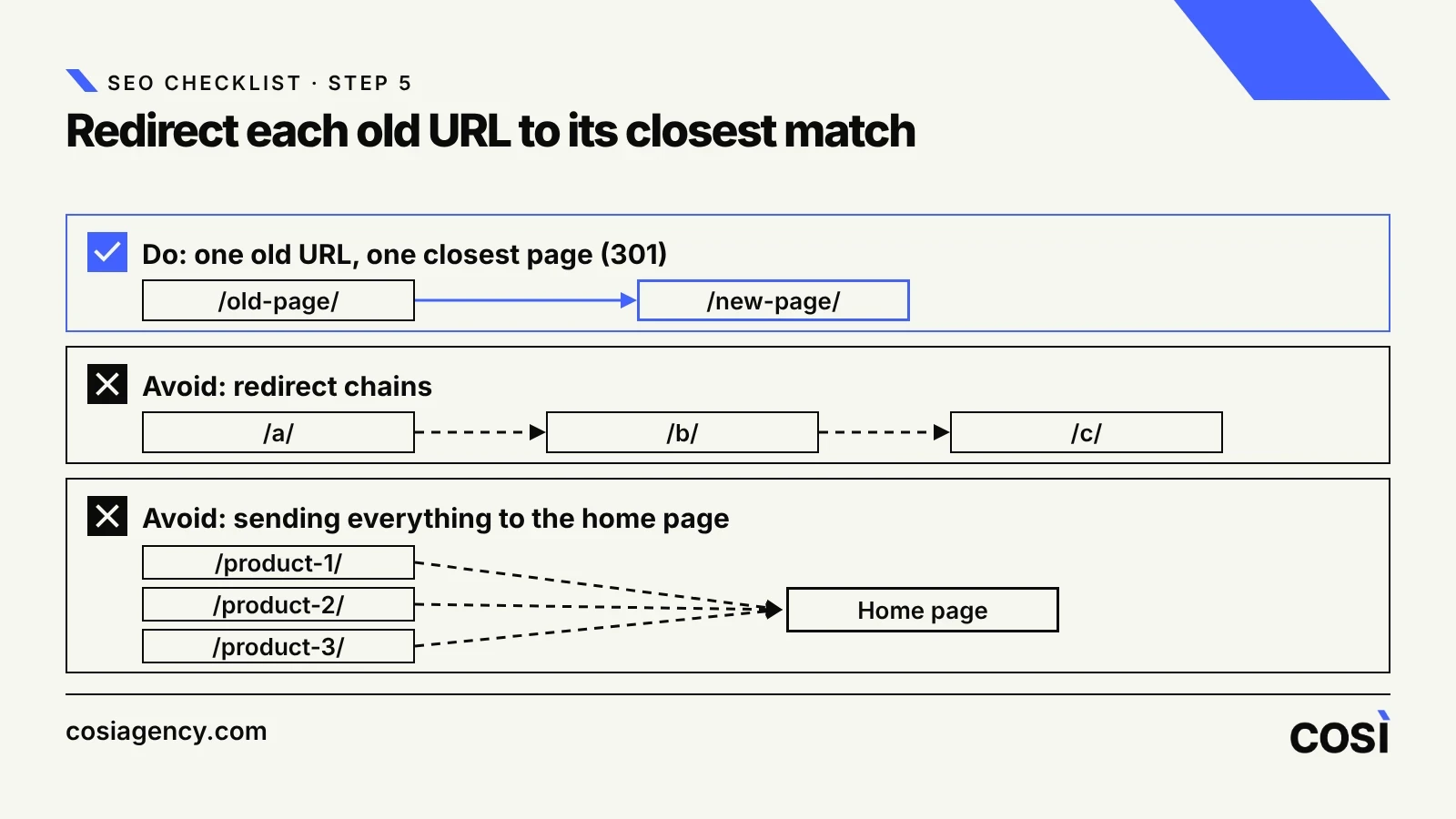
- Map every old URL to a new one. For each URL that changes, set up a 301 redirect to the closest equivalent page. Avoid chains (A to B to C), and avoid sending everything to the home page, because Google may treat that as a soft 404.
- Carry over the signals. Titles, meta descriptions, headings, internal links, structured data, canonical tags and hreflang should exist on the new pages too. Check them on the test site before launch.
- Keep the test site out of Google. Block it with noindex or a password while you build. Then remember to remove the block: a noindex left in place after launch is one of the most common and most costly mistakes.
On launch day
- Remove the block, then test. Remove any noindex and robots.txt rule used on the test site. Open the live site, check that key pages return a normal 200 response, and that old URLs redirect with a 301 to the right page.
- Update and submit the sitemap. The sitemap should list only the new, indexable URLs. Resubmit it in Search Console. If the domain changes, also use the Change of Address tool.
After launch
- Crawl, compare and watch. Crawl the new site and compare it with your baseline. Fix 404 errors and redirect chains first. Then watch Search Console for four weeks: indexing, clicks and impressions for your key pages. Small ups and downs right after launch are normal while Google reprocesses the site. A steady drop on pages that matter is not.
Speed counts too, because many redesigns make a site heavier. In our speed study of 324 agency websites, the average mobile score was 61. Check your new pages on mobile before they go live.
If your site has several languages
Add one more check: every language version must still list all the others with hreflang, and the links must go both ways. A redesign often breaks this quietly. Our hreflang guide explains the rules.
If you make or export products
Product pages often carry long, specific search terms. Losing them in a redesign is expensive, which makes step 2 even more important. See how we work with exporting manufacturers.
Summary
- Record rankings and traffic before you change anything.
- Keep URLs and ranking content wherever you can.
- Redirect every changed URL with a 301 to its closest match.
- Keep the test site out of Google, and remove the block on launch day.
- Crawl the new site and watch Search Console for four weeks.
Planning a redesign and worried about your rankings? We can review your current site before you start. See our SEO service and web design and development, or request a free analysis."